7 Ways to Reduce Your Mobile Data Usage with Holiday eSIM


Running out of data is something that can happen easily. Fortunately, there are simple and effective tips you can follow to get the best value from your prepaid plan. With these tips at hand, you will be able to easily control your mobile data use. This helps you avoid having to buy a new eSIM plan or topping up early.
For the best and most reliable connection, especially across Europe and the world, you should choose Holiday eSIM.
What is an eSIM and Why Data Management Matters
An eSIM (embedded SIM) is a virtual SIM that is built into your phone or other device. It works exactly like a traditional physical SIM. Unlike a physical SIM that needs to be inserted into a slot, an eSIM is activated digitally by scanning a QR code.
eSIMs have become a real lifesaver for those who travel. They allow easy access to high-speed Internet anywhere in the world. They do this without needing you to provide ID proofs or go through a difficult installation process.
How an eSIM Works
An eSIM stores all the information needed to connect to a mobile network. This includes your phone number, network details, and other account details. When you activate an eSIM, this information is downloaded and stored on the device's memory. This allows you to connect to a mobile network without needing a physical card. Imagine getting a new phone number and high-speed data in just under a minute.
Why Managing Your Data Usage is Key
For the modern traveler or digital nomad, it is impossible to imagine traveling offline. It would be equally bad to get a great plan and then burn through the data unknowingly.
By managing your data usage, you keep your plan’s bandwidth from being wasted. This makes your eSIM last longer, leading to more savings and more mobile data for you to enjoy.
Additionally, controlling your data usage can help conserve your phone battery. Data-intensive apps like streaming video or social media can drain batteries fast. When you stream content or download huge files, your phone has to maintain an active connection. This constant communication drains your battery quickly. Taking steps to control app activity helps you manage both data and battery life.
7 Ways to Control Mobile Data While Using a Travel eSIM
To start reducing your data usage while on a Holiday eSIM plan, it is important that you track your data use. Most smartphones have a built-in data usage feature. This allows you to see exactly how much data you have used over a set period.
Once you know where your data is going, you can use these tips to stay connected longer.
1. Restricting Background Data Usage
Background data refers to data used by apps and services that run even when you are not using them. This includes:
- Email apps like Gmail or Apple Mail automatically syncing to update your inbox.
- Social media apps sending notifications and refreshing feeds.
- Cloud services uploading photos and documents.
Background data usage can easily account for 20-30% or more of your total data use. You can adjust the settings of individual apps to stop them from using data in the background.
- On Android: Go to Settings > Apps > select the app > Mobile data (or Data usage) > turn off Allow background data usage.
- On iOS: Go to Settings > General > Background App Refresh and turn off this feature for apps you don't need to be constantly updated.
2. Turning Off Automatic Updates
Turning off automatic updates on your device saves mobile data. It prevents apps from downloading updates in the background without your knowledge.
When automatic updates are turned on, apps may download updates even when you are not actively using them. These updates consume a lot of mobile data. By turning off this feature, you manually control when updates are downloaded. You can choose to only download updates when you are connected to Wi-Fi.
- On Android (Google Play Store): Open the app, tap your profile icon, select Settings > Network preferences > Auto-update apps > select Over Wi-Fi only or Don't auto-update apps.
- On iOS (App Store): Go to Settings > App Store > turn off App Updates under the Automatic Downloads section.
3. Disabling Auto-Play Videos
This tip will save a lot of data for those who spend a lot of time on social media platforms like Facebook, Instagram, and X (Twitter). The automatic playing of videos as you scroll your feed uses mobile data. This is also true for ads that start playback automatically.
Most social media apps allow you to change this setting to Wi-Fi only or Never auto-play videos. For example, in the Facebook app:
- Open the Facebook app.
- Tap the Menu button (usually three lines or your profile picture).
- Scroll down and select Settings & Privacy > Settings.
- Find Media or Videos and Photos and choose to only play videos On Wi-Fi or Never.
4. Turning on Data-Saving Mode
Most smartphones come with a built-in Data Saver or Low Data Mode. These modes reduce the amount of data that apps and services use. This can greatly reduce the data consumed by your online activities.
When this mode is on:
- Images and videos downloaded or streamed to your phone may be of a lower quality.
- Background app activity is often paused or heavily restricted.
- Some data-saving modes use compression to reduce the data being transferred.
- On Android: Go to Settings > Network & internet > Data Saver and switch it on.
- On iOS: Go to Settings > Cellular (or Mobile Data) > Cellular Data Options > Data Mode > select Low Data Mode.
5. Reduce Video Streaming Quality
Video streaming is the biggest user of mobile data. The amount of data you can save by reducing video quality is huge.
- Reducing quality from HD (1080p) to Standard Definition (480p) can save up to 60-70% of the data.
- A 480p video on a mobile screen is often clear enough for most viewing.
- If you don’t mind viewing videos at a standard resolution, you can really make your Holiday eSIM plan last much longer.
In apps like YouTube and Netflix, you can usually tap the settings icon on the video player and choose a lower quality like 480p or 360p.
6. Using Data-Saving Mobile Browsers
Some mobile browsers are designed to help you reduce data use in various ways:
- Data Compression: They compress web pages before sending them to your device. This reduces the amount of data that needs to be downloaded.
- Ad Blocking: They often block ads by default. Ads can be a significant source of data usage, so blocking them helps reduce consumption.
- Image Optimization: They compress images on web pages to reduce their size without greatly affecting their quality.
Popular data-saving browsers include Opera Mini and Google Chrome (when its Data Saver feature is enabled).
7. Use ‘Lite’ Versions of Popular Apps
Lite versions are simplified, smaller apps created by developers. They focus only on the main features of the app. This reduces both the storage space and the data used.
For example, the regular Facebook app can take up about 200MB on Android. The Lite version often takes up only 3MB. Not only do Lite versions take up less storage, but they also have fewer features, which results in less data usage when running. Look for Lite versions of major apps like Facebook, Messenger, and TikTok.
The Best eSIMs with Flexible Data Limits for Travel
Now that you know how to get the most out of your prepaid data plan, it is time to choose the best option for your trip. Holiday eSIM offers a range of options, from data-only plans to bundles with voice and text.
Worldwide Holiday Data Only eSIM (20GB Allowance in Zone 1)
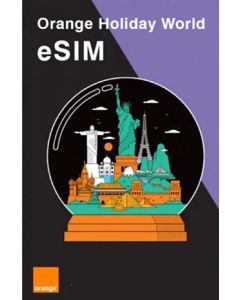
This is the perfect data-focused option for global travelers. It connects you to the internet in over 100 destinations.
Features:
- 20GB High-Speed Data: Get 20GB of 4G data for your online activities in Zone 1.
- 30-Day Validity: The plan is valid for 30 days per usage.
- Wide Coverage: Works in over 100 destinations worldwide.
- Data Only: Please note this eSIM does not include voice calls or SMS services.
Enjoy reliable 4G network coverage across the globe by activating the Worldwide Holiday Data Only eSIM (20GB Allowance in Zone 1).
Unlimited Europe Data eSIM 1 - 30 Days
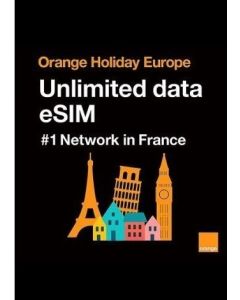
For travelers who need worry-free connectivity across Europe, this plan is an excellent choice. It’s ideal for data-heavy users who will rely on VoIP calls and messaging apps.
Features:
- Unlimited High-Speed Data: Provides unlimited data access.
- Flexible Validity: Choose from 1 to 30 days of coverage.
- Hotspot Use: Supports tethering for sharing your connection.
- Data Only: Includes no voice, phone number, or SMS support.
Get unlimited high-speed data for your European adventure by clicking to activate Unlimited Europe Data eSIM 1 - 30 Days.
Orange Holiday 100GB Voice & Data Europe eSIM 30 Days
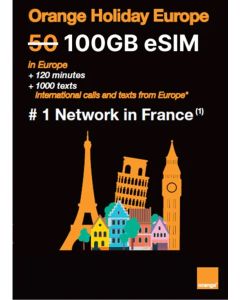
This option provides massive data and communication features for an extended trip.
Features:
- 100GB High-Speed Data: Enjoy a huge data allowance across Europe and the UK.
- Unlimited Calls/Texts in Europe: Unlimited minutes and SMS within Europe.
- International Credit: Includes 120 international minutes and 1,000 international SMS outside Europe.
- French Phone Number: Get a local number for local services.
Experience fast connectivity across Europe by activating Orange Holiday 100GB Voice & Data Europe eSIM 30 Days.
Orange Holiday 20GB Europe eSIM 30 Days
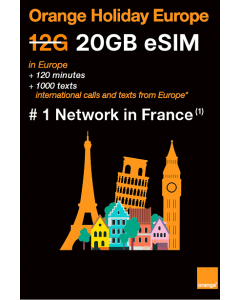
A more balanced option for travelers who need a solid amount of data and some calling credit.
Features:
- 20GB 5G Network: Guaranteed internet connection in the UK and Europe.
- Unlimited Calls/Texts in Europe: Unlimited minutes and SMS within Europe.
- International Credit: Includes 30 international minutes and 200 international SMS outside Europe.
- French Phone Number: You will receive a French phone number for local services.
Enjoy a guaranteed internet connection in the UK and Europe when you click to activate Orange Holiday 20GB Europe eSIM 30 Days.
Activating Your Holiday eSIM
The process to get connected is fast and easy:
- Browse through the regional and global eSIMs at www.holidayesim.com and choose the plan that perfectly matches your data and coverage needs.
- After making your purchase, an email containing a QR code will be sent to you. You must scan this code to activate your eSIM.
- The email comes with clear instructions on how to scan the QR code and activate the eSIM on your device.
- The activation process is simple. You open your phone's settings, select the option to add a new cellular plan, and scan the QR code.
- As soon as you have scanned the QR code, your eSIM will be active. You will be all set to experience uninterrupted connectivity. Happy traveling!
eSIM Compatible Devices List (2026 Update)
Most newer phones, tablets, and laptops support eSIM technology. Here is a list of supported models grouped by brand. Be sure to double-check with your device manufacturer or settings before purchasing an eSIM plan.
Apple (iPhone)
- iPhone XR, iPhone XS, iPhone XS Max
- iPhone 11, iPhone 11 Pro, iPhone 11 Pro Max
- iPhone SE 2 (2020), iPhone SE 3 (2022)
- iPhone 12, iPhone 12 Mini, iPhone 12 Pro, iPhone 12 Pro Max
- iPhone 13, iPhone 13 mini, iPhone 13 Pro, iPhone 13 Pro Max
- iPhone 14, iPhone 14 Plus, iPhone 14 Pro, iPhone 14 Pro Max
- iPhone 15, iPhone 15 Plus, iPhone 15 Pro, iPhone 15 Pro Max
- iPhone 16 Pro, iPhone 16 Pro Max
- iPhone 17 Pro, iPhone 17 Pro Max
Samsung (Galaxy Series)
- Samsung Galaxy Note20, Note20 5G, Note20 Ultra, Note20 Ultra 5G
- Galaxy S20, S20 5G, S20+, S20+ 5G, S20 Ultra, S20 Ultra 5G
- Galaxy S21, S21+ 5G, S21 Ultra 5G
- Galaxy S22, S22+ 5G, S22 Ultra 5G
- Galaxy Z Flip, Z Flip 5G, Z Flip3 5G, Z Flip4
- Galaxy Z Fold2 5G, Galaxy Fold
Google (Pixel)
- Pixel 2 (only from Google Fi), Pixel 2 XL
- Pixel 3 (excluding AU, TW, JP variants), Pixel 3 XL, Pixel 3a, Pixel 3a XL
- Pixel 4, Pixel 4 XL, Pixel 4a, Pixel 5, Pixel 5a
- Pixel 6, Pixel 6 Pro
- Pixel 7, Pixel 7 Pro
Other Brands & Devices
- Huawei: P40, P40 Pro, P50 Pro, Mate 40 Pro
- Sony Xperia: 10 III Lite, 10 IV, 1 IV, 5 IV
- Motorola: Razr 2019, Razr 2020, Razr 5G
- Other: Nuu Mobile X5, Gemini PDA, Rakuten Mini, Rakuten Big-S, Rakuten Big, Surface Pro X, Honor Magic 4 Pro, Fairphone 4
UKTD Europe eSIM Coverage Area
UKTD Europe eSIMs give you fast and reliable mobile data across a wide network of countries, islands, and regions. You can travel across borders without needing to switch plans.
Your eSIM will work in the following destinations:
- Andorra, Azores, Aland Islands, Austria
- Balearic Islands, Canary Islands, Belgium
- Cyprus, Crete, Corfu, The Cyclades, Croatia, Czech Republic
- Denmark, Estonia
- Faeroe Islands, Finland, France Mainland
- Gibraltar, Germany, Greece, Guernsey
- Hungary
- Ireland, Iceland, Italy, Isle of Man
- Jersey
- Latvia, Liechtenstein, Lithuania, Luxembourg
- Madeira, Malta
- Norway, Netherlands
- Portugal, Poland
- Rhodes, Romania
- Spain, United Kingdom, San Marino, Sardinia, Sicily, Slovakia, Switzerland, Sweden, Vatican City
This wide coverage makes the UKTD Europe eSIM a strong option for travelers moving between major cities, islands, and remote regions without interruptions or added roaming fees.
Frequently Asked Questions
- What is an eSIM?
An eSIM is a digital SIM that is built into your phone or device. It works exactly like a traditional SIM but is activated digitally by scanning a QR code. This lets you connect to a mobile network without needing a physical card.
- Does using an eSIM use more data than a physical SIM?
No. The technology used for the connection (eSIM versus physical SIM) does not affect how much data your apps or activities use. Your data usage depends only on your online habits, such as streaming video, downloading files, or background app activity.
- How can I track my data usage while traveling?
Most smartphones have a data usage tracker built into the Settings menu. On both Android and iOS, look under the Mobile Network or Cellular settings. This will show you which apps are using the most data and help you set limits.
- What is the single biggest way to save mobile data?
The single biggest way to save mobile data is to reduce the quality of video streaming. Videos, especially in high definition (HD), use a large amount of data very quickly. Setting your streaming quality to standard definition (480p) or lower can save a large percentage of your plan.
- Should I turn off mobile data completely when I'm not using my phone?
Turning off mobile data can help if you are very close to your limit. However, a better approach is to use the phone's Low Data Mode or restrict Background Data for apps. This allows important things like maps or basic messages to still work while blocking data-heavy background activities.
- Will deleting an app's cache save data?
Clearing an app's cache saves space on your phone, but it does not directly save data usage. In fact, the next time you open the app, it may use a small amount of data to re-download those temporary files. A better way to save data is to restrict background data or disable auto-play features.
- Do I need an internet connection to activate a Holiday eSIM?
Yes, you generally need an internet connection (either Wi-Fi or your home network) to scan the QR code and download the eSIM profile to your device. Once installed, the eSIM connects to the local mobile network when you arrive at your destination.